 scale(0.100000,-0.100000)%22%3E%3Cpath d=%22M4297 11020 c-251 -23 -537 -106 -727 -212 -443 -246 -736 -645 -826 -1123 -18 -97 -19 -207 -19 -3245 0 -3437 -4 -3204 61 -3464 145 -585 533 -1052 1103 -1330 52 -25 105 -46 118 -46 39 0 90 26 110 56 17 27 18 80 24 959 5 900 6 934 28 1060 53 314 144 569 297 832 219 376 589 741 999 983 50 29 119 70 155 91 177 104 553 265 830 353 495 159 1130 272 1651 293 l156 6 -3 -229 c-7 -645 -130 -1193 -376 -1677 -155 -306 -373 -585 -598 -766 -329 -265 -571 -377 -1169 -542 -500 -137 -709 -225 -974 -409 -116 -80 -331 -295 -415 -415 -113 -160 -204 -370 -238 -552 -15 -79 -14 -89 1 -129 10 -28 28 -51 49 -64 33 -20 41 -20 1478 -20 1442 0 1599 3 1808 36 677 106 1325 449 1770 938 130 141 202 234 296 376 549 834 695 1868 404 2865 -103 350 -280 710 -483 980 -361 479 -868 808 -1442 935 -328 73 -460 80 -1577 80 l-908 0 0 1108 c0 1199 0 1198 -55 1387 -76 262 -240 486 -464 636 -134 90 -197 122 -340 169 -216 72 -482 102 -724 80z%22/%3E%3Cpath d=%22M6314 10340 c-26 -10 -72 -65 -79 -93 -3 -12 -4 -400 -3 -862 l3 -840 28 -79 c78 -222 264 -396 497 -467 l75 -23 867 -4 c958 -3 918 -6 958 60 11 18 20 45 20 60 0 60 79 -22 -1100 1143 -927 916 -1090 1075 -1122 1095 -34 21 -105 26 -144 10z%22/%3E%3C/g%3E%3C/g%3E%3Cpath fill=%22%230B1220%22 d=%22M1436.7552 845.272V779.8000000000001H1547.4624000000001Q1577.2224 779.8000000000001 1592.4 763.432Q1607.5776 747.0640000000001 1607.5776 717.8992000000001Q1607.5776 688.1392000000001 1591.2096000000001 670.8784Q1574.8416 653.6176 1544.4864 653.6176H1436.7552V588.1456000000001H1539.7248Q1567.6992 588.1456000000001 1582.2816 574.7536Q1596.864 561.3616 1596.864 535.1728Q1596.864 508.98400000000004 1582.8768 495.592Q1568.8896 482.2 1541.5104000000001 482.2H1436.7552V416.728H1561.152Q1618.2912000000001 416.728 1653.4080000000001 445.8928Q1688.5248000000001 475.05760000000004 1688.5248000000001 525.0544Q1688.5248000000001 556.6 1673.6448 579.2176Q1658.7648 601.8352 1633.7664 613.7392Q1608.768 625.6432 1577.8176 625.6432L1580.7936 613.144Q1614.1248 613.144 1641.2064 627.4288Q1668.288 641.7136 1684.3584 667.6048000000001Q1700.4288000000001 693.4960000000001 1700.4288000000001 728.6128Q1700.4288000000001 763.7296 1684.0608000000002 790.216Q1667.6928 816.7024 1638.2304 830.9872Q1608.768 845.272 1568.8896 845.272ZM1361.76 845.272V416.728H1453.4208V845.272Z M1742.0928 845.272V416.728H1831.3727999999999V845.272Z M2034.9312 851.224Q1984.9343999999999 851.224 1947.1391999999998 831.2848000000001Q1909.3439999999998 811.3456000000001 1888.2143999999998 775.336Q1867.0847999999999 739.3264 1867.0847999999999 692.3056Q1867.0847999999999 645.2848 1888.2143999999998 610.168Q1909.3439999999998 575.0512 1947.1391999999998 555.4096Q1984.9343999999999 535.768 2034.9312 535.768Q2085.5232 535.768 2123.3184 555.4096Q2161.1135999999997 575.0512 2181.9456 610.168Q2202.7776 645.2848 2202.7776 692.3056Q2202.7776 739.3264 2181.648 775.336Q2160.5184 811.3456000000001 2122.7232 831.2848000000001Q2084.928 851.224 2034.9312 851.224ZM2034.9312 780.9904Q2055.7632 780.9904 2072.7263999999996 770.2768000000001Q2089.6895999999997 759.5632 2099.808 739.624Q2109.9264 719.6848 2109.9264 691.7104Q2109.9264 650.6416 2088.2016 628.3216Q2066.4768 606.0016 2034.9312 606.0016Q2003.3855999999998 606.0016 1981.6607999999999 628.6192000000001Q1959.936 651.2368 1959.936 691.7104Q1959.936 719.6848 1970.0544 739.624Q1980.1727999999998 759.5632 1997.136 770.2768000000001Q2014.0991999999999 780.9904 2034.9312 780.9904Z M2378.3615999999997 973.24Q2315.2704 973.24 2275.6895999999997 946.456Q2236.1088 919.672 2228.9664 873.8416000000001H2313.4847999999997Q2318.2464 885.1504000000001 2334.0191999999997 891.1024000000001Q2349.792 897.0544000000001 2374.1952 897.0544000000001Q2414.6688 897.0544000000001 2433.12 881.5792000000001Q2451.5712 866.104 2451.5712 833.368V767.3008L2456.3328 768.4912Q2450.3808 801.8224 2421.8112 821.1664000000001Q2393.2416 840.5104 2350.9824 840.5104Q2310.5088 840.5104 2280.4512 821.7616Q2250.3936 803.0128000000001 2233.728 769.0864000000001Q2217.0624 735.1600000000001 2217.0624 689.3296Q2217.0624 642.904 2234.3232 608.3824Q2251.584 573.8608 2282.832 554.8144Q2314.08 535.768 2355.7439999999997 535.768Q2398.5984 535.768 2425.68 556.0048Q2452.7616 576.2416000000001 2457.5232 611.3584000000001L2453.3568 611.9536V541.72H2540.8512V832.1776000000001Q2540.8512 897.6496000000001 2497.4016 935.4448Q2453.9519999999998 973.24 2378.3615999999997 973.24ZM2381.9328 772.0624Q2413.4784 772.0624 2433.12 750.3376000000001Q2452.7616 728.6128 2452.7616 688.1392000000001Q2452.7616 647.6656 2432.8224 625.9408000000001Q2412.8831999999998 604.216 2380.7424 604.216Q2349.792 604.216 2329.8527999999997 626.2384Q2309.9136 648.2608 2309.9136 688.7344Q2309.9136 729.2080000000001 2329.8527999999997 750.6352Q2349.792 772.0624 2381.9328 772.0624Z%22/%3E%3Cpath fill=%22%231F63F5%22 d=%22M2718.8160000000003 845.272V486.96160000000003H2578.944V416.728H2950.3488V486.96160000000003H2810.4768V845.272Z M3131.2896 851.224Q3080.6976 851.224 3043.2 831.2848000000001Q3005.7024 811.3456000000001 2985.168 775.6336000000001Q2964.6336 739.9216 2964.6336 693.4960000000001Q2964.6336 646.4752000000001 2985.168 611.0608000000001Q3005.7024 575.6464000000001 3042.6048 555.7072000000001Q3079.5072 535.768 3128.3136 535.768Q3175.3344 535.768 3209.856 554.8144Q3244.3776000000003 573.8608 3263.424 607.7872Q3282.4704 641.7136 3282.4704 687.5440000000001Q3282.4704 697.0672000000001 3281.8752000000004 705.1024Q3281.28 713.1376 3280.0896000000002 720.28H3017.0112V661.3552H3208.0704L3192.5952 672.0688Q3192.5952 635.1664000000001 3175.0368 617.6080000000001Q3157.4784 600.0496 3127.1232 600.0496Q3092.0064 600.0496 3072.6624 623.8576Q3053.3184 647.6656 3053.3184 695.2816Q3053.3184 741.7072000000001 3072.6624 764.3248000000001Q3092.0064 786.9424 3130.6944000000003 786.9424Q3152.1216 786.9424 3167.5968000000003 779.8Q3183.072 772.6576 3190.8096 756.5872H3274.7328Q3259.8528 800.6320000000001 3223.8432000000003 825.9280000000001Q3187.8336 851.224 3131.2896 851.224Z M3318.1824 845.272V541.72H3405.6768V613.144H3407.4624000000003V845.272ZM3529.4784 845.272V657.1888Q3529.4784 632.1904000000001 3516.6816 619.6912Q3503.8848000000003 607.192 3479.4816 607.192Q3458.6496 607.192 3442.2816000000003 616.7152Q3425.9136000000003 626.2384 3416.688 642.904Q3407.4624000000003 659.5696 3407.4624000000003 682.1872000000001L3399.7248 608.9776Q3414.6048 575.6464000000001 3443.472 555.7072000000001Q3472.3392000000003 535.768 3514.5984000000003 535.768Q3565.1904000000004 535.768 3591.9744 564.04Q3618.7584 592.312 3618.7584 639.928V845.272Z M3889.5744000000004 845.272V778.0144L3895.5264 779.2048Q3889.5744000000004 811.9408000000001 3860.112 831.5824Q3830.6496 851.224 3789.5808 851.224Q3747.9168000000004 851.224 3717.264 831.8800000000001Q3686.6112000000003 812.5360000000001 3669.9456 777.4192Q3653.28 742.3024 3653.28 694.6864Q3653.28 646.4752000000001 3670.5408 610.7632000000001Q3687.8016000000002 575.0512 3719.0496000000003 555.4096Q3750.2976000000003 535.768 3791.9616000000005 535.768Q3835.4112000000005 535.768 3862.4928000000004 556.0048Q3889.5744000000004 576.2416000000001 3894.3360000000002 611.3584000000001L3887.7888000000003 611.9536V416.728H3977.0688000000005V845.272ZM3818.1504000000004 779.8000000000001Q3849.6960000000004 779.8000000000001 3869.3376000000003 757.48Q3888.9792 735.1600000000001 3888.9792 693.4960000000001Q3888.9792 651.832 3869.04 629.512Q3849.1008 607.192 3816.9600000000005 607.192Q3786.0096000000003 607.192 3766.0704000000005 629.8096Q3746.1312000000003 652.4272000000001 3746.1312000000003 694.0912000000001Q3746.1312000000003 735.7552000000001 3766.0704000000005 757.7776000000001Q3786.0096000000003 779.8000000000001 3818.1504000000004 779.8000000000001Z%22/%3E%3C/svg%3E)
 scale(0.100000,-0.100000)%22%3E%3Cpath d=%22M4297 11020 c-251 -23 -537 -106 -727 -212 -443 -246 -736 -645 -826 -1123 -18 -97 -19 -207 -19 -3245 0 -3437 -4 -3204 61 -3464 145 -585 533 -1052 1103 -1330 52 -25 105 -46 118 -46 39 0 90 26 110 56 17 27 18 80 24 959 5 900 6 934 28 1060 53 314 144 569 297 832 219 376 589 741 999 983 50 29 119 70 155 91 177 104 553 265 830 353 495 159 1130 272 1651 293 l156 6 -3 -229 c-7 -645 -130 -1193 -376 -1677 -155 -306 -373 -585 -598 -766 -329 -265 -571 -377 -1169 -542 -500 -137 -709 -225 -974 -409 -116 -80 -331 -295 -415 -415 -113 -160 -204 -370 -238 -552 -15 -79 -14 -89 1 -129 10 -28 28 -51 49 -64 33 -20 41 -20 1478 -20 1442 0 1599 3 1808 36 677 106 1325 449 1770 938 130 141 202 234 296 376 549 834 695 1868 404 2865 -103 350 -280 710 -483 980 -361 479 -868 808 -1442 935 -328 73 -460 80 -1577 80 l-908 0 0 1108 c0 1199 0 1198 -55 1387 -76 262 -240 486 -464 636 -134 90 -197 122 -340 169 -216 72 -482 102 -724 80z%22/%3E%3Cpath d=%22M6314 10340 c-26 -10 -72 -65 -79 -93 -3 -12 -4 -400 -3 -862 l3 -840 28 -79 c78 -222 264 -396 497 -467 l75 -23 867 -4 c958 -3 918 -6 958 60 11 18 20 45 20 60 0 60 79 -22 -1100 1143 -927 916 -1090 1075 -1122 1095 -34 21 -105 26 -144 10z%22/%3E%3C/g%3E%3C/g%3E%3Cpath fill=%22%23FFFFFF%22 d=%22M1436.7552 845.272V779.8000000000001H1547.4624000000001Q1577.2224 779.8000000000001 1592.4 763.432Q1607.5776 747.0640000000001 1607.5776 717.8992000000001Q1607.5776 688.1392000000001 1591.2096000000001 670.8784Q1574.8416 653.6176 1544.4864 653.6176H1436.7552V588.1456000000001H1539.7248Q1567.6992 588.1456000000001 1582.2816 574.7536Q1596.864 561.3616 1596.864 535.1728Q1596.864 508.98400000000004 1582.8768 495.592Q1568.8896 482.2 1541.5104000000001 482.2H1436.7552V416.728H1561.152Q1618.2912000000001 416.728 1653.4080000000001 445.8928Q1688.5248000000001 475.05760000000004 1688.5248000000001 525.0544Q1688.5248000000001 556.6 1673.6448 579.2176Q1658.7648 601.8352 1633.7664 613.7392Q1608.768 625.6432 1577.8176 625.6432L1580.7936 613.144Q1614.1248 613.144 1641.2064 627.4288Q1668.288 641.7136 1684.3584 667.6048000000001Q1700.4288000000001 693.4960000000001 1700.4288000000001 728.6128Q1700.4288000000001 763.7296 1684.0608000000002 790.216Q1667.6928 816.7024 1638.2304 830.9872Q1608.768 845.272 1568.8896 845.272ZM1361.76 845.272V416.728H1453.4208V845.272Z M1742.0928 845.272V416.728H1831.3727999999999V845.272Z M2034.9312 851.224Q1984.9343999999999 851.224 1947.1391999999998 831.2848000000001Q1909.3439999999998 811.3456000000001 1888.2143999999998 775.336Q1867.0847999999999 739.3264 1867.0847999999999 692.3056Q1867.0847999999999 645.2848 1888.2143999999998 610.168Q1909.3439999999998 575.0512 1947.1391999999998 555.4096Q1984.9343999999999 535.768 2034.9312 535.768Q2085.5232 535.768 2123.3184 555.4096Q2161.1135999999997 575.0512 2181.9456 610.168Q2202.7776 645.2848 2202.7776 692.3056Q2202.7776 739.3264 2181.648 775.336Q2160.5184 811.3456000000001 2122.7232 831.2848000000001Q2084.928 851.224 2034.9312 851.224ZM2034.9312 780.9904Q2055.7632 780.9904 2072.7263999999996 770.2768000000001Q2089.6895999999997 759.5632 2099.808 739.624Q2109.9264 719.6848 2109.9264 691.7104Q2109.9264 650.6416 2088.2016 628.3216Q2066.4768 606.0016 2034.9312 606.0016Q2003.3855999999998 606.0016 1981.6607999999999 628.6192000000001Q1959.936 651.2368 1959.936 691.7104Q1959.936 719.6848 1970.0544 739.624Q1980.1727999999998 759.5632 1997.136 770.2768000000001Q2014.0991999999999 780.9904 2034.9312 780.9904Z M2378.3615999999997 973.24Q2315.2704 973.24 2275.6895999999997 946.456Q2236.1088 919.672 2228.9664 873.8416000000001H2313.4847999999997Q2318.2464 885.1504000000001 2334.0191999999997 891.1024000000001Q2349.792 897.0544000000001 2374.1952 897.0544000000001Q2414.6688 897.0544000000001 2433.12 881.5792000000001Q2451.5712 866.104 2451.5712 833.368V767.3008L2456.3328 768.4912Q2450.3808 801.8224 2421.8112 821.1664000000001Q2393.2416 840.5104 2350.9824 840.5104Q2310.5088 840.5104 2280.4512 821.7616Q2250.3936 803.0128000000001 2233.728 769.0864000000001Q2217.0624 735.1600000000001 2217.0624 689.3296Q2217.0624 642.904 2234.3232 608.3824Q2251.584 573.8608 2282.832 554.8144Q2314.08 535.768 2355.7439999999997 535.768Q2398.5984 535.768 2425.68 556.0048Q2452.7616 576.2416000000001 2457.5232 611.3584000000001L2453.3568 611.9536V541.72H2540.8512V832.1776000000001Q2540.8512 897.6496000000001 2497.4016 935.4448Q2453.9519999999998 973.24 2378.3615999999997 973.24ZM2381.9328 772.0624Q2413.4784 772.0624 2433.12 750.3376000000001Q2452.7616 728.6128 2452.7616 688.1392000000001Q2452.7616 647.6656 2432.8224 625.9408000000001Q2412.8831999999998 604.216 2380.7424 604.216Q2349.792 604.216 2329.8527999999997 626.2384Q2309.9136 648.2608 2309.9136 688.7344Q2309.9136 729.2080000000001 2329.8527999999997 750.6352Q2349.792 772.0624 2381.9328 772.0624Z%22/%3E%3Cpath fill=%22%235B93FF%22 d=%22M2718.8160000000003 845.272V486.96160000000003H2578.944V416.728H2950.3488V486.96160000000003H2810.4768V845.272Z M3131.2896 851.224Q3080.6976 851.224 3043.2 831.2848000000001Q3005.7024 811.3456000000001 2985.168 775.6336000000001Q2964.6336 739.9216 2964.6336 693.4960000000001Q2964.6336 646.4752000000001 2985.168 611.0608000000001Q3005.7024 575.6464000000001 3042.6048 555.7072000000001Q3079.5072 535.768 3128.3136 535.768Q3175.3344 535.768 3209.856 554.8144Q3244.3776000000003 573.8608 3263.424 607.7872Q3282.4704 641.7136 3282.4704 687.5440000000001Q3282.4704 697.0672000000001 3281.8752000000004 705.1024Q3281.28 713.1376 3280.0896000000002 720.28H3017.0112V661.3552H3208.0704L3192.5952 672.0688Q3192.5952 635.1664000000001 3175.0368 617.6080000000001Q3157.4784 600.0496 3127.1232 600.0496Q3092.0064 600.0496 3072.6624 623.8576Q3053.3184 647.6656 3053.3184 695.2816Q3053.3184 741.7072000000001 3072.6624 764.3248000000001Q3092.0064 786.9424 3130.6944000000003 786.9424Q3152.1216 786.9424 3167.5968000000003 779.8Q3183.072 772.6576 3190.8096 756.5872H3274.7328Q3259.8528 800.6320000000001 3223.8432000000003 825.9280000000001Q3187.8336 851.224 3131.2896 851.224Z M3318.1824 845.272V541.72H3405.6768V613.144H3407.4624000000003V845.272ZM3529.4784 845.272V657.1888Q3529.4784 632.1904000000001 3516.6816 619.6912Q3503.8848000000003 607.192 3479.4816 607.192Q3458.6496 607.192 3442.2816000000003 616.7152Q3425.9136000000003 626.2384 3416.688 642.904Q3407.4624000000003 659.5696 3407.4624000000003 682.1872000000001L3399.7248 608.9776Q3414.6048 575.6464000000001 3443.472 555.7072000000001Q3472.3392000000003 535.768 3514.5984000000003 535.768Q3565.1904000000004 535.768 3591.9744 564.04Q3618.7584 592.312 3618.7584 639.928V845.272Z M3889.5744000000004 845.272V778.0144L3895.5264 779.2048Q3889.5744000000004 811.9408000000001 3860.112 831.5824Q3830.6496 851.224 3789.5808 851.224Q3747.9168000000004 851.224 3717.264 831.8800000000001Q3686.6112000000003 812.5360000000001 3669.9456 777.4192Q3653.28 742.3024 3653.28 694.6864Q3653.28 646.4752000000001 3670.5408 610.7632000000001Q3687.8016000000002 575.0512 3719.0496000000003 555.4096Q3750.2976000000003 535.768 3791.9616000000005 535.768Q3835.4112000000005 535.768 3862.4928000000004 556.0048Q3889.5744000000004 576.2416000000001 3894.3360000000002 611.3584000000001L3887.7888000000003 611.9536V416.728H3977.0688000000005V845.272ZM3818.1504000000004 779.8000000000001Q3849.6960000000004 779.8000000000001 3869.3376000000003 757.48Q3888.9792 735.1600000000001 3888.9792 693.4960000000001Q3888.9792 651.832 3869.04 629.512Q3849.1008 607.192 3816.9600000000005 607.192Q3786.0096000000003 607.192 3766.0704000000005 629.8096Q3746.1312000000003 652.4272000000001 3746.1312000000003 694.0912000000001Q3746.1312000000003 735.7552000000001 3766.0704000000005 757.7776000000001Q3786.0096000000003 779.8000000000001 3818.1504000000004 779.8000000000001Z%22/%3E%3C/svg%3E)
Cheap SEO Tools for Scheduling and Managing Blog Posts
Learn how to use cheap SEO tools to schedule and manage blog posts without enterprise budgets. Compare 2026's best affordable options for keyword research, on-page optimization, and content automation.
Cheap SEO tools can handle the full blog lifecycle, from keyword research to scheduled publishing, without the four-figure annual bills of enterprise suites. The 2026 market splits into two camps: pure SEO analyzers that feed data into your workflow, and newer autoblogging platforms that push optimized drafts straight into WordPress. For small businesses, the smart play is combining a low-cost keyword suite with either a scheduling plugin or an integrated automation tool, keeping total monthly spend under $50 to $130.
What "cheap" means for small-site SEO in 2026
Enterprise platforms like Semrush and Ahrefs now start around $139 to $249 per month. For a solo blogger or local business generating under 50 posts monthly, that price dwarfs the return. Cheap SEO tools, in this context, means platforms under $60 per month, often with freemium entry points, that cover the core functions a small site actually uses: keyword discovery, on-page scoring, and content queue management.
The shift is structural. SE Ranking, once a budget favorite at $39 per month, restructured in late 2025. Its new Core plan runs $129 monthly or $103.20 when billed annually. That pushed it out of the "cheap" tier for many users. Meanwhile, Mangools holds its Basic plan at $29.90 to $37.70 per month on annual billing, though it caps tracked keywords at 1,500 even on its top Agency tier.
This gap between rising mid-tier prices and stable entry-level costs is why modular stacks have become the norm. One tool finds keywords, another schedules posts, and a third handles on-page optimization inside WordPress.
Key features to demand from low-cost SEO schedulers
Not every cheap SEO tool actually schedules posts. Many analyze search data brilliantly but stop at the export button. Before subscribing, verify these four capabilities against your workflow.
Keyword tracking inside drafts
The tool should surface target keyword volume, difficulty, and related terms while you write, not in a separate browser tab. Rank Math's Content AI and Yoast's in-editor SEO analysis do this natively in WordPress. Standalone suites like Mangools require manual copy-paste between its KWFinder and your CMS.
Auto-metadata generation
Title tags and meta descriptions consume disproportionate time for small teams. Yoast Premium and Rank Math Pro both score drafts and suggest optimized metadata. Ubersuggest's 2026 WordPress plugin adds one-click AI fixes for titles, H1s, and meta descriptions directly in wp-admin. None of these generate publish-ready text without human review, but they cut revision rounds significantly.
Social sharing integration
Scheduled blog posts need scheduled promotion. Buffer's free plan allows 10 queued posts per connected channel, refilling automatically upon publishing. CoSchedule's free tier limits you to 15 scheduled messages monthly across one profile. These are not SEO tools per se, but they close the loop between content creation and distribution.
CMS compatibility without code
WordPress dominates small business blogging, but Wix and Squarespace users need viable paths too. Most cheap SEO tools connect to WordPress via plugin. Wix relies more on native SEO settings plus external research tools, since its app market lacks deep third-party SEO integrations. Verify your CMS before committing to any tool stack.
Top affordable SEO tools for scheduling and management in 2026
The market now offers three distinct tool categories: pure SEO analyzers, WordPress optimization plugins, and end-to-end autoblogging platforms. Each serves different budget and automation needs.
| Tool | Type | Entry Price (Annual) | Scheduling Integration | Best For |
|---|---|---|---|---|
| Mangools | Keyword suite | $29.90, $37.70/mo | None native; manual export | Research on tight budgets |
| Rank Math Pro | WordPress plugin | ~$6.58/mo (billed annually) | WordPress core scheduling only | On-page optimization + WP-Cron |
| Yoast SEO Premium | WordPress plugin | ~$8.25/mo (billed annually) | AI Content Planner outlines; WP-Cron publishes | Content gap analysis + metadata |
| Ubersuggest | Site audit + WP plugin | ~$29/mo (individual plan) | Metadata fixes only; no queue | Technical audits + AI metadata |
| Contenvo | Autoblogging platform | Varies; typically $20, $50/mo | Native WordPress calendar sync | Full pipeline automation |
Mangools: research-only at the lowest price
Mangools remains the cheapest specialized SEO suite. Its five-tool bundle covers keyword research, SERP analysis, rank tracking, backlink checking, and site profiling. The Basic plan's 1,500-keyword ceiling suffices for most small blogs. The catch: no publishing integration. You research in Mangools, then build posts elsewhere. It is a starting point, not a workflow.
Rank Math Pro and Yoast Premium: optimization inside WordPress
Neither plugin schedules posts natively. WordPress core WP-Cron handles that. What they add is intelligent optimization at the moment of creation. Rank Math's Content AI scores readability and keyword density as you type. Yoast's AI Content Planner, introduced in March 2026, scans your existing posts for gaps and generates starter outlines inside the dashboard.
Both plugins connect to WordPress through standard plugin installation. For scheduling, you rely on WordPress's built-in "Publish" date picker or augment it with editorial calendar plugins like PublishPress. This distinction matters: Yoast and Rank Math optimize content, but they do not manage editorial workflows.
Ubersuggest: audits and metadata fixes
Neil Patel's Ubersuggest launched its official WordPress plugin in September 2026. It runs technical audits, checks Core Web Vitals, and applies AI-generated metadata fixes from within wp-admin. Like Mangools, it does not draft or queue posts. Its value is speed: identify problems and patch them without leaving your site.
Contenvo and autoblogging platforms: the new integrated option
Specialized low-cost platforms now bridge keyword research directly to WordPress scheduling. Contenvo's SEO content calendar syncs planned posts into WordPress, letting you move from keyword assignment to scheduled publish date without switching tools. Similar tools like Autoblogging.ai, SEOWriting.ai, and RankYak automate SERP analysis, draft generation, and webhook-based publishing. These are not traditional SEO suites; they are content factories with SEO built in.
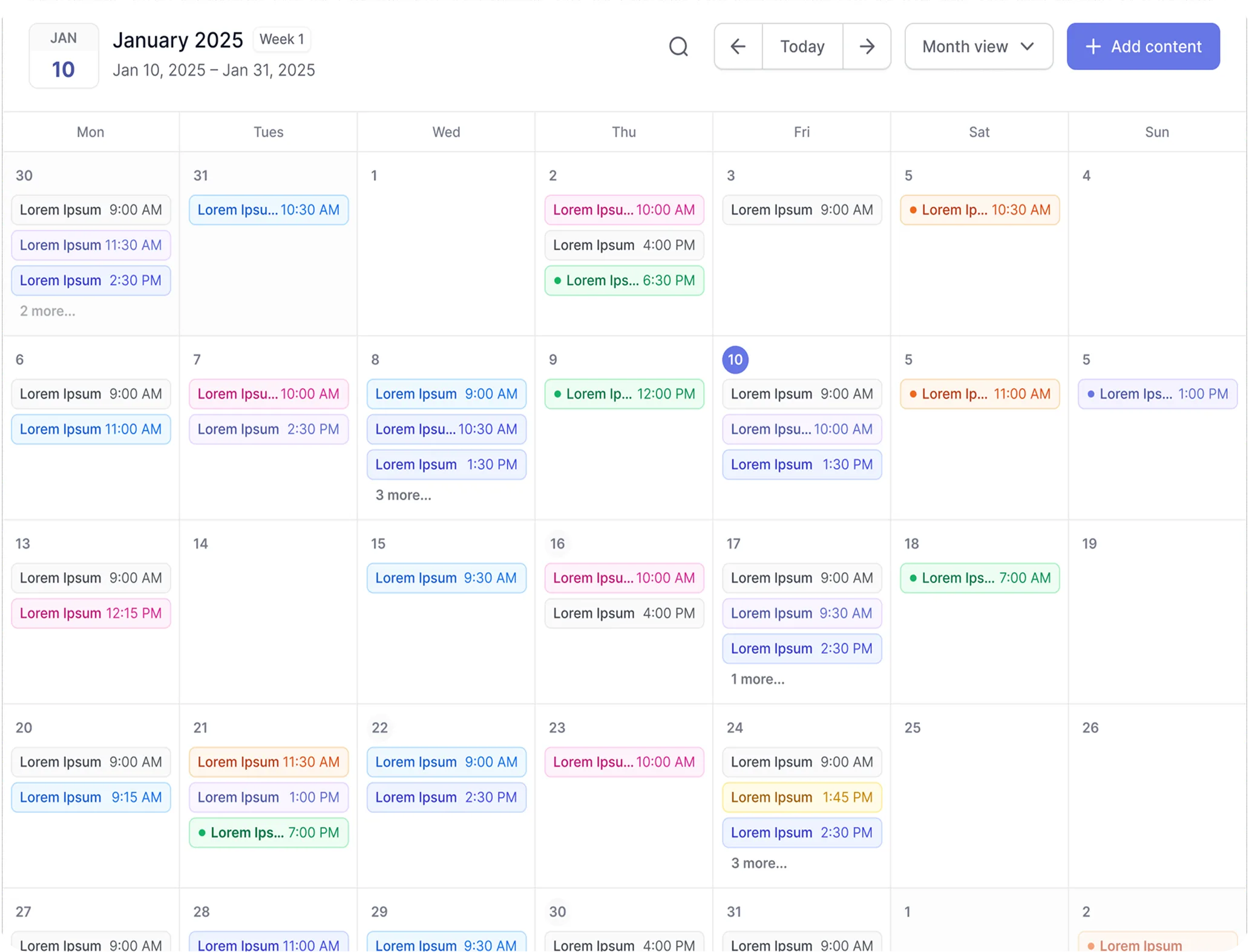
How to build a budget content lifecycle with cheap SEO tools
A practical workflow stitches together affordable tools without redundant spending. Here is a six-stage pipeline that keeps total monthly cost under $60.
- IdeationUse Mangools KWFinder or Ubersuggest's keyword tool to identify low-difficulty terms with search volume. Export 10 to 15 targets to a spreadsheet.
- Keyword researchValidate intent with Mangools SERPChecker or free Google Search Console data. Confirm the keyword matches your audience's buying stage.
- DraftingWrite in WordPress with Rank Math Pro or Yoast Premium active. Let the plugin score keyword usage, readability, and internal linking opportunities in real time.
- On-page optimizationRun Ubersuggest's site audit if the post introduces new structural elements. Apply AI-suggested metadata fixes. Verify schema markup renders correctly.
- SchedulingSet the WordPress publish date using WP-Cron, or connect to Contenvo's calendar for multi-author editorial queues. For social promotion, queue posts in Buffer (free tier) or CoSchedule.
- Publishing and maintenanceAfter publishing, add the URL to Mangools SERPWatcher for position tracking. Use Yoast's SEO Task List, rolled out in October 2025, to schedule periodic content refreshes.
This stack combines Mangools ($29.90, $37.70), Rank Math Pro (~$6.58), and Buffer Free ($0) for a total of roughly $37 to $45 monthly. Swap Rank Math for Yoast Premium (~$8.25) or add Ubersuggest (~$29) for deeper audits, and you still stay under $70.
Maximizing freemium and trial value
Most cheap SEO tools offer free tiers or trial periods. The constraint is usually volume, not functionality. Mangools offers a 10-day free trial with full feature access. Rank Math's free version handles basic on-page scoring without time limits. Buffer's free plan never expires but caps you at 10 queued posts per channel.
Three tactics extend these limits. First, rotate trials across team members if multiple people manage content. Second, use free tiers for production work and paid tiers only during intensive research months. Third, combine tools so each freemium limitation covers a different function: Mangools for keyword discovery, Rank Math Free for on-page scoring, Buffer Free for social queues.
Be precise about what "free" includes. CoSchedule's free calendar handles 15 scheduled messages monthly across one profile, excluding X/Twitter entirely. Plan accordingly.
Pitfalls of cheap SEO automation
Low cost does not mean low risk. Three problems recur when small businesses over-automate on budget tools.
Common automation risks
- Over-reliance on AI-generated metadata produces generic titles that fail to differentiate your content in SERPs
- Automated drafting tools without human editing create thin content that triggers Google's helpful content penalties
- Low-tier plan limits (keyword caps, audit quotas) silently throttle growth without clear upgrade prompts
- Plugin conflicts between SEO tools and editorial calendars break scheduled publishing unexpectedly
The metadata problem is subtle. Ubersuggest and Rank Math both generate title suggestions algorithmically. If every post in your niche uses the same pattern, none stand out. Always customize the AI output with your brand voice and specific value proposition.
Thin content is the larger threat. Autoblogging platforms like SEOWriting.ai can produce drafts from SERP analysis in minutes. Without substantive revision, addition of original data, and expert perspective, these posts compete poorly. Google's 2024 and 2025 updates consistently demoted content that summarized existing results without adding new value.
Technical limitations also bite. Mangools' 1,500-keyword ceiling means growing sites hit a wall. SE Ranking's restructured pricing pushed its entry point above $100 monthly. Budget for migration before you outgrow your first tool.
Maintaining content quality on a budget
Automation handles repetition; judgment handles quality. Establish three non-negotiable checkpoints. First, every draft must include original observation, data, or experience not present in the top ten ranking pages. Second, AI-generated metadata gets rewritten by a human before publishing. Third, scheduled posts receive a final read-through 24 hours before going live, catching outdated references or broken logic.
For small teams, this discipline replaces the editorial layers that enterprise content operations afford. The tools are cheap. The time investment is real. Budget both.
What to remember
- Pure SEO analyzers (Mangools, Ubersuggest) research well but do not schedule; pair them with WordPress core or editorial plugins
- WordPress SEO plugins (Rank Math, Yoast) optimize inside the CMS but rely on WP-Cron or third-party calendars for actual scheduling
- Autoblogging platforms (Contenvo, RankYak) offer the deepest automation but require stricter quality oversight
- Freemium tiers work best when combined across tools, each covering a different pipeline stage
- AI-generated content demands human revision to avoid thin-content penalties and generic SERP presence
Your next step is auditing your current stack against these categories. Identify which stage, ideation through publishing, still costs too much or takes too long. Then match a cheap SEO tool to that specific gap, not to a vague promise of "all-in-one" simplicity.
Publish more posts without overspending on software
BlogTend combines content scheduling, SEO optimization, and automated publishing in one platform built for small teams. No enterprise contracts, no feature bloat. See pricing and start free to automate your blog workflow today.
Keep reading
More on Publishing Workflows Automation
- Publishing Workflows AutomationOct 13, 2026
Top Tools Compared: Scheduling and Managing Blog Posts Automation
Compare the leading automation platforms for scheduling and managing blog posts. See which tools offer native CMS publishing, SEO metadata automation, and scalable pricing for busy marketing teams.
Read article - Publishing Workflows AutomationOct 4, 2026
How to Implement Web Integration for Blog Content Automation
Web integration for blog content automation connects live external data to your CMS through APIs and webhooks, shifting publishing from static scheduling to event-driven, data-driven workflows.
Read article - WordPressOct 18, 2026
How to choose an automated SEO service that integrates with WordPress
Learn how to choose an automated SEO service that integrates seamlessly with WordPress. This buyer's guide covers native plugin options, REST API workflows, maintenance requirements, and the KPIs that prove automation is working.
Read article